
Installation
Install the plugin, add one line to vite.config.ts, and register the ambient
types. If you have never used the plugin, follow the tutorial instead; it
includes these steps.
Working with a coding agent? Hand it this prompt and it does the steps below, then reports which files it changed.
Show the prompt
Set up @oddsquad/vite-plugin-lit in this project, following the agent skill at https://vite-plugin-lit.oddsquad.dev/.well-known/agent-skills/vite-plugin-lit/SKILL.md.

1. Install it as a dev dependency with the package manager this project already uses.
2. Add litPlugin() to the plugins array in the Vite config. Leave the rest of the config as it is.
3. Register the "@oddsquad/vite-plugin-lit/client" types in tsconfig.json, next to "vite/client" rather than instead of it.
4. Start the dev server and check that the plugin's indicator appears on a page with a Lit component.

Don't enable the DevTools panel or the source overlay unless I ask. When you're done, list the files you changed.
Install
Section titled “Install”npm i -D @oddsquad/vite-plugin-litpnpm add -D @oddsquad/vite-plugin-lityarn add -D @oddsquad/vite-plugin-litbun add -d @oddsquad/vite-plugin-litLit and Vite stay your dependencies. Compatibility lists the versions each release supports and the one dev mode it does not.
Add it to Vite
Section titled “Add it to Vite”Add litPlugin() to the plugins array. Nothing else moves.
import {defineConfig} from 'vite';import {litPlugin} from '@oddsquad/vite-plugin-lit';
export default defineConfig({  plugins: [litPlugin()],});
Hot patching, the on-page indicator and the CSS import queries are on from here. The DevTools timeline and the source overlay are opt-in; the options reference has the switches.
The patching applies to the dev server only, so a production build is
untouched. The ?css-sheet and ?hmr-url queries resolve in dev and build
alike.
Keep dev code out of the build
Section titled “Keep dev code out of the build”litPlugin() doesn’t load its dev-only code until the dev server (or
vite preview) starts. HMR, the source overlay and the DevTools panel are
imported in a hook that vite build never calls, so a build loads only the
options and the CSS plugins.
What those CSS plugins emit carries no dev code either: under vite build, a
?css-sheet compiles to a sheet that is filled once, with no hot-swap
callback, and a ?hmr-url to the plain asset URL.
If you want the build to depend on less than that, use litCss() from the
/build entry for builds. It carries only what a build uses: the CSS queries,
Lightning CSS for css literals, and the no-op timeline stub.
import {defineConfig} from 'vite';import {litPlugin} from '@oddsquad/vite-plugin-lit';import {litCss} from '@oddsquad/vite-plugin-lit/build';
export default defineConfig(({command}) => ({  plugins: [command === 'serve' ? litPlugin() : litCss()],}));
litCss() takes cssSheetBuild and reads LIT_PLUGIN_CSS_SHEET_BUILD the
same way litPlugin() does. A unit test walks both entries’ import graphs so
neither can start pulling in dev code unnoticed.
Add the types
Section titled “Add the types”The import queries ship ambient declarations in
@oddsquad/vite-plugin-lit/client. Without them TypeScript cannot type
import sheet from './theme.css?css-sheet'.
The types array replaces TypeScript’s default, so list vite/client next to
it rather than instead of it. The rest of this file is the lit-ts template’s,
unchanged.
{  "compilerOptions": {    "target": "es2023",    "experimentalDecorators": true,    "useDefineForClassFields": false,    "module": "esnext",    "lib": ["ES2023", "DOM"],    "types": ["vite/client", "@oddsquad/vite-plugin-lit/client"],    "allowArbitraryExtensions": true,    "skipLibCheck": true,
    /* Bundler mode */    "moduleResolution": "bundler",    "allowImportingTsExtensions": true,    "verbatimModuleSyntax": true,    "moduleDetection": "force",    "noEmit": true,
    /* Linting */    "noUnusedLocals": true,    "noUnusedParameters": true,    "erasableSyntaxOnly": true,    "noFallthroughCasesInSwitch": true  },  "include": ["src"]}
One .d.ts anywhere in your include does the same job, if you would rather
not touch types:
/// <reference types="@oddsquad/vite-plugin-lit/client" />Check it works
Section titled “Check it works”Start the dev server and open a page that renders a Lit component.
npm run devA small indicator sits in the corner of the page. It is idle until an update arrives.
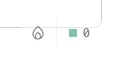
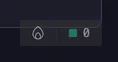
Type into an input inside a component, then edit that component’s template and save. The markup changes, what you typed stays, and the indicator pulses green. That is a hot patch: an edit applied to the running page without a reload.
If the page reloads instead, the edit hit a shape that cannot be patched in place. Limitations names each one.